Part Number: YN59S00039 / YN59S00028
MOQ: 1 Piece
Warranty: 6 Months
Lead Time: 7 - 15 Days
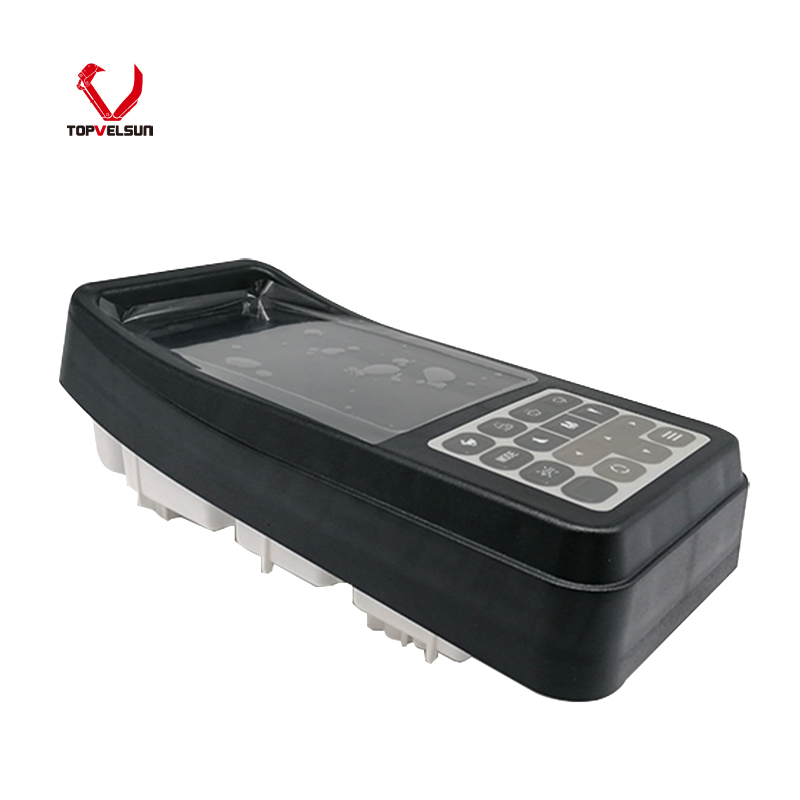
Product Type: Monitor Gauge / Excavator Monitor Panel
Compatible: Kobelco Excavator SK200-10, SK210-10, SK300-10, SK330-10
Product Description
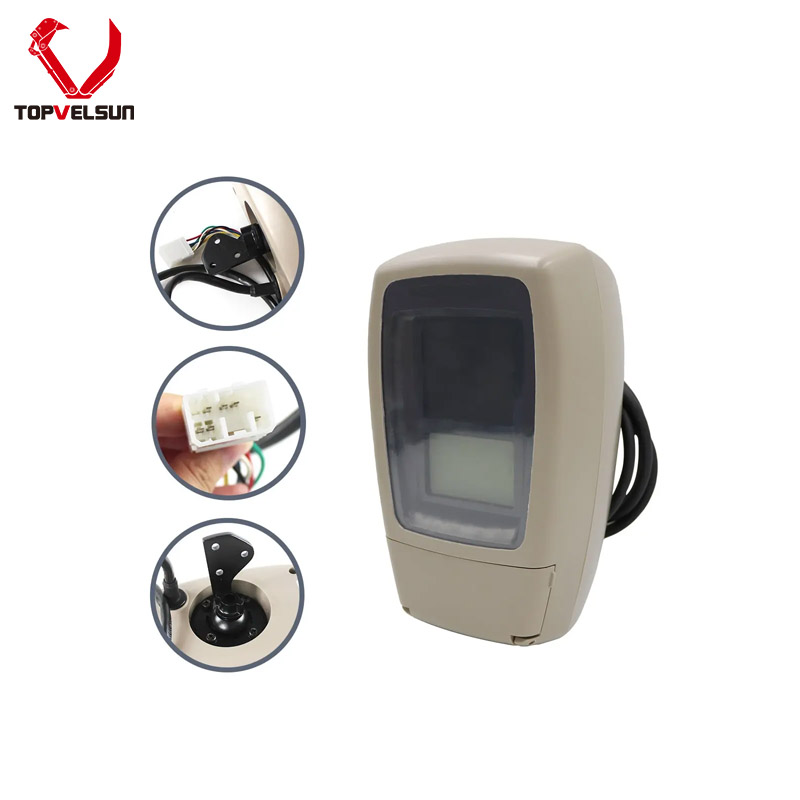
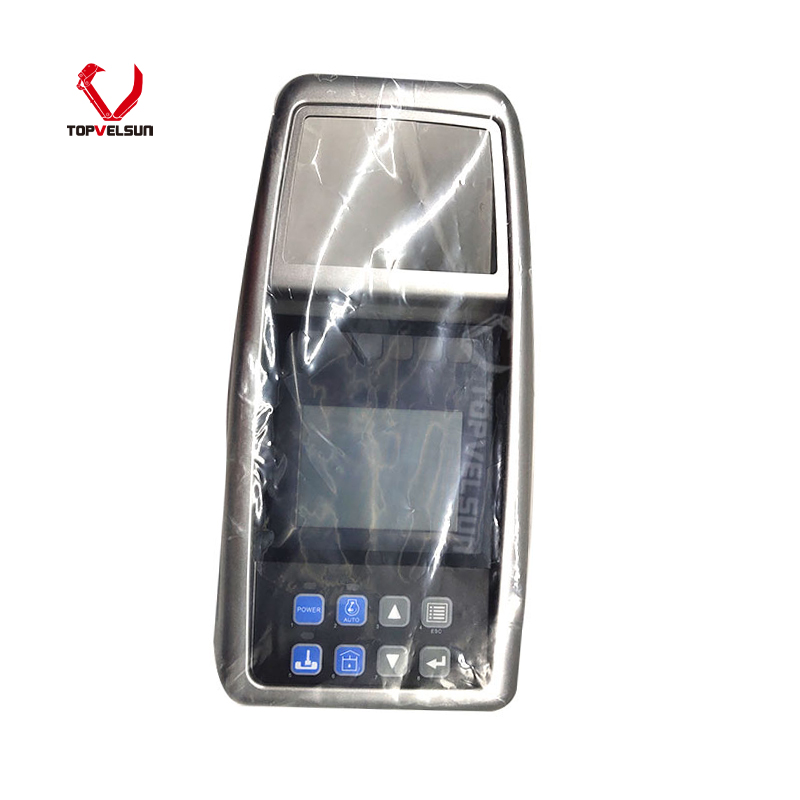
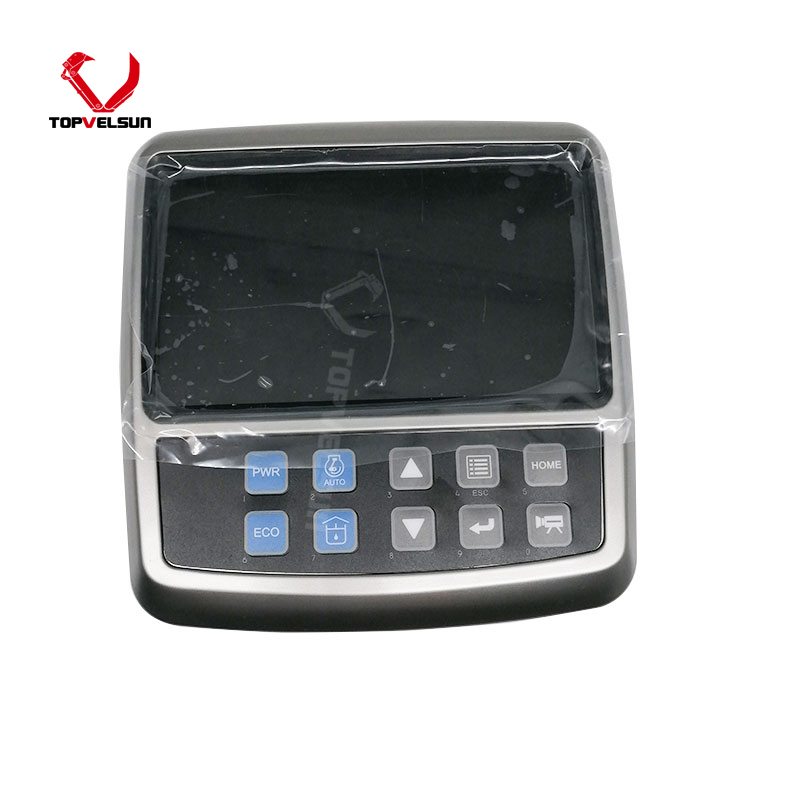
The YN59S00039 / YN59S00028 monitor gauge is supplied for Kobelco excavator cab display system repair. It is commonly searched as YN59S00039 monitor, YN59S00028 monitor gauge, Kobelco monitor panel, excavator display panel, cab monitor or instrument cluster monitor for Kobelco SK series excavator repair.
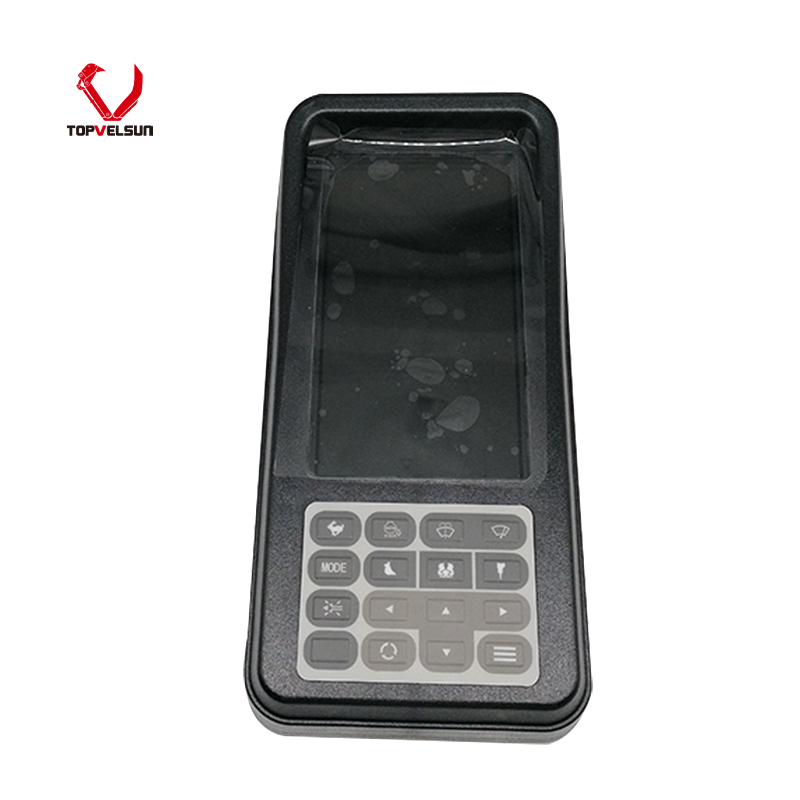
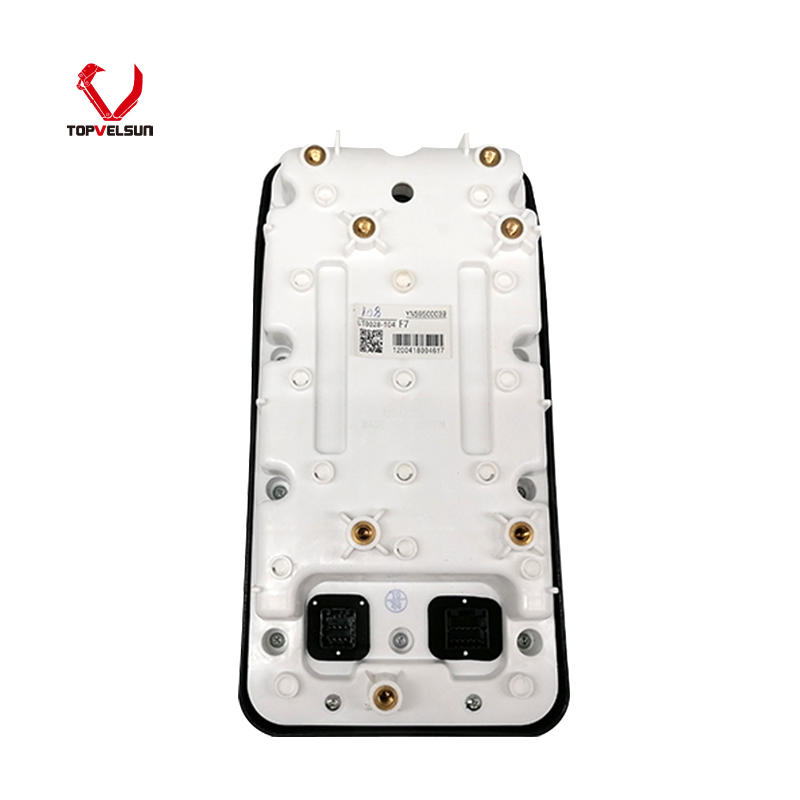
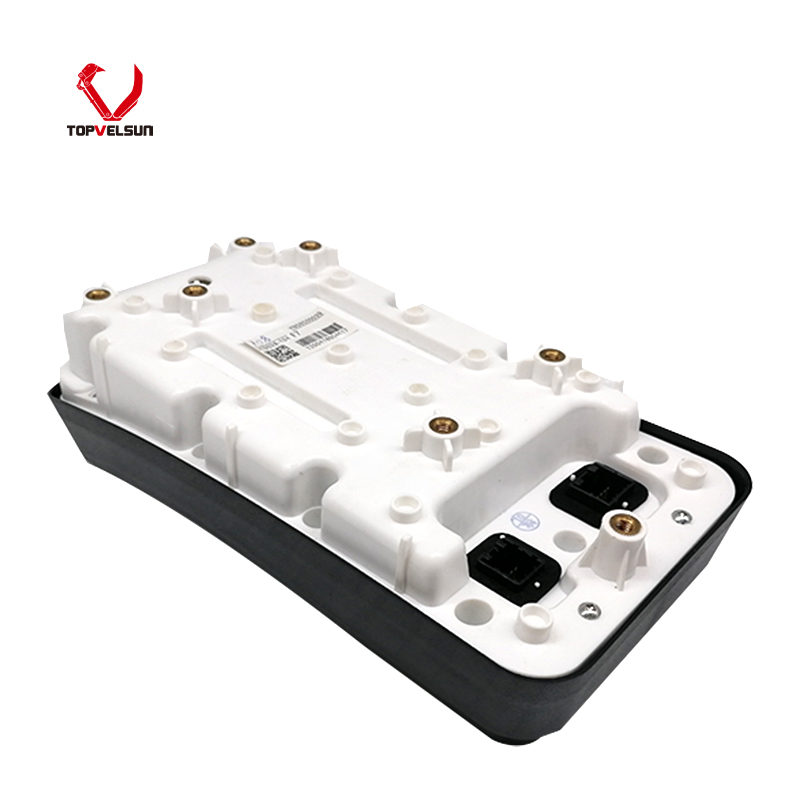
This page focuses on YN59S00039 and YN59S00028 as the main part number signals. Final fitment should be confirmed by the old monitor number, machine model, front panel layout, rear connector type, plug position, mounting points and display appearance before ordering.
Common machine references for this monitor gauge include Kobelco SK200-10, SK210-10, SK300-10 and SK330-10 excavator applications. These models should be treated as fitment references, not as the only confirmation method.
The monitor gauge is installed in the operator cab and helps display machine operating information, warning indicators, working status and system messages. A matching monitor should have the correct part number, screen layout, connector position and mounting structure.
Machine model alone is not enough for final confirmation. Kobelco excavators may use different monitor panels depending on production year, electrical configuration, cab harness, controller version and regional specification. The removed monitor and old part number are more reliable than the machine model alone.
YN59S00039 and YN59S00028 are the main identifying numbers of this product page. They should stay visible in the SEO Title, H1, top parameters, first paragraph, product body and image ALT text.
Do not mix YV59S00003F2, YN59S00012F2 or other Kobelco monitor numbers into this page unless the old monitor, supplier data or physical structure confirms they are related to the same monitor version.
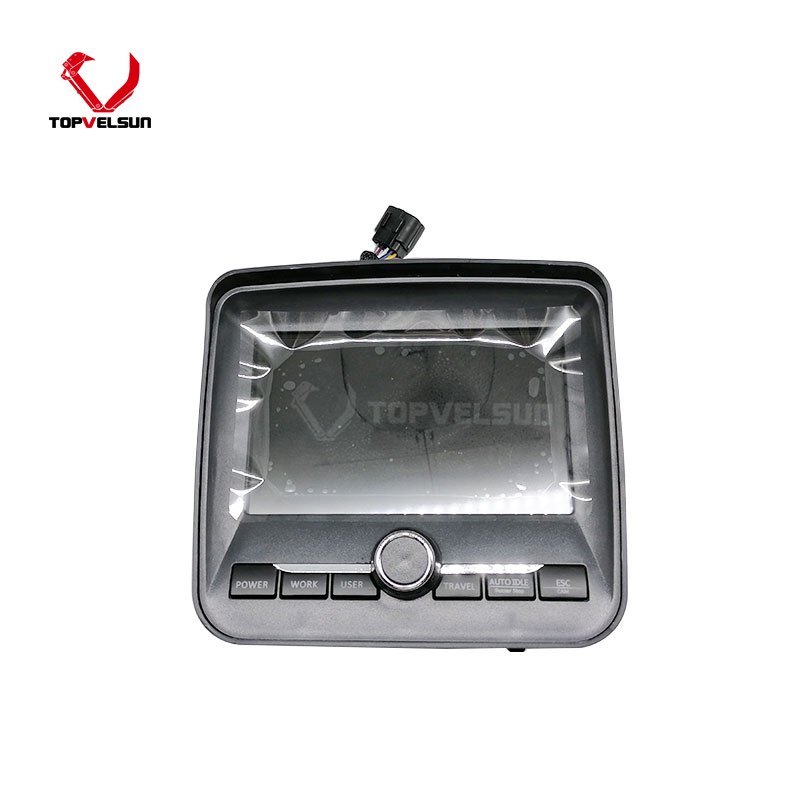
Similar Kobelco monitor gauges may look close from the front, but the rear plug, connector count, mounting points, button layout, display program and cab harness compatibility may be different. Please compare the removed monitor before ordering.
Before ordering YN59S00039 / YN59S00028, compare the old monitor carefully. The most important checking points are the old part number, front panel style, screen shape, rear connector layout and mounting position.
Confirm whether the old monitor number is YN59S00039 or YN59S00028.
Check whether the machine reference is Kobelco SK200-10, SK210-10, SK300-10 or SK330-10.
Compare the front display layout, button layout and warning indicator style.
Check the rear connector type, plug position and harness connection.
Confirm the mounting holes, bracket position and cab installation space.
Send photos of the old monitor label, front side, rear side, connector area and machine nameplate before quotation if you are not sure.
A monitor gauge may need replacement when the display is blank, the screen is dim, warning indicators do not work, buttons fail to respond, the monitor restarts repeatedly, communication errors appear, or the display cannot show normal machine information.
Before replacing the monitor, check the cab harness, power supply, ground connection, fuse, controller communication line and connector condition. Some display problems may be caused by wiring, controller or power supply issues rather than the monitor itself.
If the old monitor failed because of water damage, short circuit, poor connector contact or harness damage, the root cause should be repaired before installing the replacement monitor. Otherwise, the new monitor may fail again.
Before installation, turn off the machine power and inspect the monitor connector, harness plug and mounting area. Make sure the connector pins are clean, straight and free from corrosion.
After installation, turn on the machine and check whether the screen powers up normally. Confirm the display, warning indicators, buttons and basic machine information before returning the machine to work.
If the monitor does not power on or shows abnormal information after installation, stop testing and recheck the old part number, connector layout, harness condition and controller communication before further use.
For repair shops, this YN59S00039 / YN59S00028 monitor gauge is suitable for Kobelco excavator cab display repair when the old monitor is damaged, unreadable, unresponsive or unable to display normal operating information.
For parts distributors, it can be supplied as a Kobelco SK series excavator monitor gauge reference for heavy equipment repair demand. Topvelsun supports small repair orders and bulk inquiries. Please send the required quantity, old monitor number, machine model and photos of the old monitor from multiple angles.
This page is for the YN59S00039 / YN59S00028 monitor gauge used for Kobelco excavator cab display system repair.
Common references include Kobelco SK200-10, SK210-10, SK300-10 and SK330-10 excavators. Final confirmation should still be based on the old monitor number and physical structure.
No. Machine model is only a reference. Please check the old part number, front panel layout, rear connector type, plug position and mounting points before ordering.
Do not use YV59S00003F2 or YN59S00012F2 on this page unless the old monitor or supplier data confirms they belong to the same monitor version. This page should focus on YN59S00039 / YN59S00028.
Please send photos of the old monitor label, front display, rear connector, plug position, mounting points and machine nameplate. These photos help confirm whether YN59S00039 / YN59S00028 is the correct monitor gauge.
Tel.: +86 20 3203 3683
Mobile: +86 13129352980 or 13826060208
E-mail: VLS09@topvelsun.com
Address: SHOP 101,BUILDING A,NO.141,ZHUCUN EAST RING ROAD,TIANHE DISTRICT,GUANGZHOU
Copyright © Guangzhou Topvelsun Machinery Equipment Co., Ltd. All Rights Reserved. |
Sitemap | Technical Support 
Tel.: +86 20 3203 3683
E-mail: VLS09@topvelsun.com